Every photographer, marketer, and content creator has been there: the right shot, wrong quality. Maybe it was taken on a phone from three years ago, or exported at the wrong resolution, or compressed one too many times on its way to social media. Whatever the cause, the problem is the same, the image you need isn’t good enough to use as-is, and reshooting isn’t an option. AI photo enhancement tools have made this a solvable problem. This guide covers exactly how online photo enhancement works, what “losing detail” actually means technically, and which tools deliver genuinely sharp, high-quality output.
Why Traditional Upscaling Destroys Detail
The reason photo quality enhancement has historically been so difficult comes down to one fundamental problem: information. A low-resolution or compressed image simply contains less data than a high-resolution one. Traditional upscaling methods, bicubic interpolation, Lanczos resampling, compensate for this by averaging existing pixel values to fill in the gaps. The result is a larger image that looks blurry or artificially smooth, because the algorithm invented data rather than recovered it.
AI enhancement solves this differently. Instead of interpolating between existing pixels, deep learning models trained on millions of image pairs learn what details should plausibly exist in a given context. When the model sees the blurry edge of an eye, it doesn’t average the surrounding pixels, it draws on its training to reconstruct what a sharp eye edge looks like, then renders that onto the output. The result retains, and often exceeds, the perceived sharpness of the original.
What Actually Happens When You Enhance a Photo Online
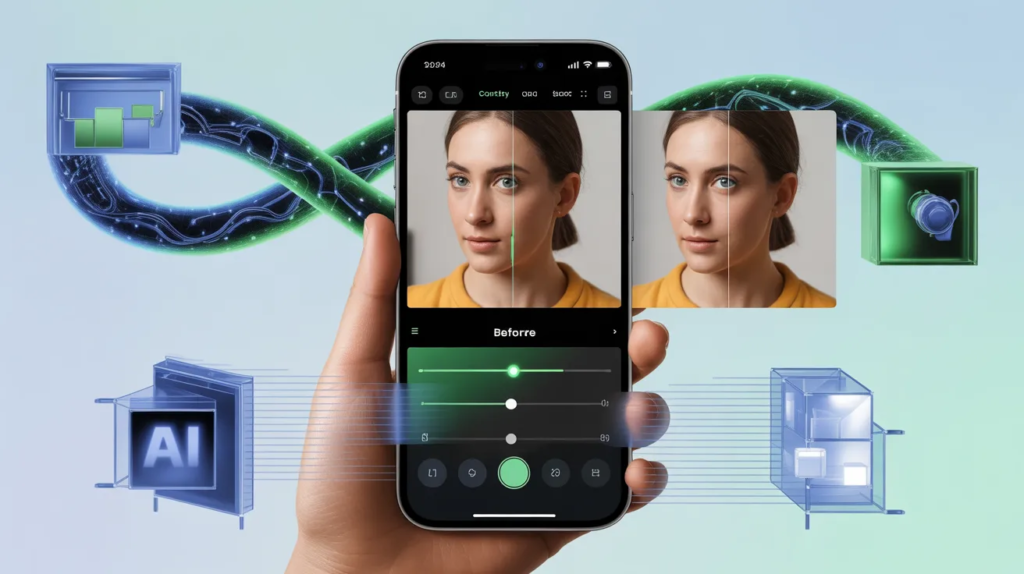
Modern AI photo enhancers run several processes simultaneously, often within a single model pass:
- Super-resolution upscaling: The model increases pixel density while predicting and rendering fine detail that wasn’t present in the original. Quality tools can upscale to 4K without producing the smearing or haloing that plagues traditional resizing.
- Noise reduction: Digital noise, the grainy texture caused by high ISO settings or heavy compression, is identified and removed pattern by pattern rather than simply blurring the image globally, which would destroy genuine texture along with it.
- Sharpness recovery: Deconvolution algorithms reverse the blurring caused by camera shake, out-of-focus capture, or compression artifacts, reconstructing edge definition across the image.
- Color and contrast correction: Exposure imbalances, white balance errors, and flat or oversaturated color are corrected automatically by analyzing the scene context and applying adjustments that match natural lighting conditions.
- Detail synthesis: The most advanced tools go beyond recovery, they actively add plausible detail to areas that were too low-resolution to contain it originally. The model decides how much new detail to add, which is why the best platforms let users control the enhancement intensity.
Best Tools to Enhance Photo Quality Online
1. Invideo AI Image Enhancer, Best for Creators Who Need Quality at Scale
Invideo’s image enhancer stands out because it approaches photo enhancement as a content production problem rather than a standalone editing task. The platform gives access to 30+ AI image enhancement models, covering everything from portrait sharpening and skin tone correction to general upscaling and color rebalancing, all in a single interface.
The key differentiator is the detail control. InVideo lets users decide how much new detail the AI adds during enhancement, rather than applying a fixed-intensity pass that may over-process the image. This matters significantly for professional use cases where over-sharpening or hallucinated texture is just as problematic as the original blur. The tool also integrates directly with invideo video creation suite, so enhanced images can move immediately into video production without exporting and reimporting across tools.
- 30+ enhancement models including portrait, product, and general photo modes
- Upscaling to 4K with user-controlled detail intensity
- Automatic color, contrast, and sharpness optimization in one pass
- Integrated with invideo full video and content creation workflow
- Available free with watermark; paid plans from 8/month with no watermark
2. Let’s Enhance, Best for Resolution Upscaling
Let’s Enhance is purpose-built for one thing: taking low-resolution images and producing large, print-ready versions without quality loss. Its neural upscaling engine handles the specific problem of resolution enhancement exceptionally well, producing output that holds up at large print sizes where standard AI upscalers begin to show softness. The interface is minimal by design, upload, select enhancement type, download. There is no editing suite attached, which makes it less versatile than InVideo but faster for pure upscaling tasks.
Pricing: Free tier with monthly credit limits. Paid plans from /month. Best for: photographers and designers needing high-resolution output for print.
3. Remini, Best for Portrait and Face Enhancement
Remini has become one of the most widely used photo enhancement apps globally, particularly for portrait and face restoration work. Its model is specifically trained on facial detail recovery, restoring clarity to eyes, skin texture, and fine features in photos that are blurry, low-resolution, or damaged. Old family photos, social media profile pictures, and low-light portrait shots are where Remini consistently outperforms general-purpose enhancers.
Pricing: Free with daily limits. Pro plan at approximately .99/month. Best for: portrait photographers, social media users, and anyone restoring old or damaged personal photos.
4. Fotor AI Enhancer, Best for Social Media and Marketing Images
Fotor approaches image enhancement with a content marketing focus. Its one-click AI enhancement adjusts contrast, brightness, sharpness, and color saturation automatically, optimizing images specifically for digital display rather than print. The platform integrates enhancement with a broader design suite including templates, text overlays, and social media formatting, making it a practical choice for marketers who need enhanced images ready to publish immediately.
Pricing: Free tier available. Pro plan from .99/month. Best for: social media managers and content marketers producing high-volume visual assets.
5. Upscayl, Best Free Desktop Option
For users who prefer not to upload sensitive images to cloud servers, Upscayl is the strongest free option. It runs entirely locally on your machine using GPU acceleration, processes images without any file size or volume limits, and produces clean upscaling results for most common use cases. The trade-off is the absence of cloud convenience and the more limited feature set compared to full-platform tools. If privacy is a concern or you need to process large batches without per-image fees, Upscayl is the practical choice.
Pricing: Completely free and open-source. Best for: developers, photographers with privacy concerns, and high-volume batch processing.
How to Get the Best Results From AI Photo Enhancement
The tools do the heavy lifting, but a few practices consistently produce better output regardless of which platform you use:
- Start with the highest-quality original available: AI enhancement recovers and synthesizes detail, it cannot manufacture information that was never captured. The better the source, the better the output.
- Match the enhancement model to the image type: Portrait models are trained specifically on facial detail and produce noticeably better results on people than general upscaling models. Use the right model for the subject.
- Control enhancement intensity: On platforms that offer it, like InVideo, keep the detail addition setting moderate for photos that already have adequate texture. Pushing intensity too high generates plausible but inaccurate detail that experienced eyes will spot.
- Avoid re-enhancing already enhanced images: Running an image through enhancement multiple times compounds artifacts rather than improving quality. One well-configured pass produces better results than two lighter ones.
- Export at the highest available format: Save output as PNG rather than JPEG where possible. JPEG recompression after enhancement reintroduces the compression artifacts the tool just removed.
Final Thoughts
The ability to enhance photo quality online without losing detail, genuinely, not just superficially, is now accessible to anyone with a browser. The gap between consumer AI tools and professional retouching has narrowed to the point where, for most real-world use cases, they are interchangeable.
For creators who need photo enhancement integrated into a broader content workflow, Invideo’s image enhancer is the most practical option, combining 30+ enhancement models with direct access to video production tools in a single platform. For pure upscaling, Let’s Enhance sets the standard. For portrait restoration, Remini remains the go-to. And for users who need a capable free option with no upload requirements, Upscayl delivers serious results without the subscription.
The right tool depends on your use case, but the constraint of poor image quality, at least, no longer has to be permanent.